
Blog · August 2026
One UI, three native terminals
Línea runs on macOS, Windows and Linux now, and on all three the terminal is drawn outside the webview. Getting there took two completely different embedding stories sharing one core — here is the shape of it.
A terminal is the one app where the rendering path is the product. You look at it for hours. You scroll through thousands of lines of agent output. If the text is soft, or the scroll stutters, or the cursor lags a frame behind your typing, no feature list rescues it.
Which is awkward, because the rest of what I wanted — workspaces, a file tree that follows the shell, a diff viewer, the pull request in a pane — is exactly the kind of interface you want to build once and ship everywhere. Those two goals pull in opposite directions, and most terminals resolve the tension by picking a side.
The thing I refused to ship
The usual way to get one interface onto three operating systems is to bundle a browser
and draw everything in it, terminal included. It works. It is also how you end up
shipping a couple of hundred megabytes so someone can run git status, with
a terminal that is a canvas element pretending to be a terminal.
So the rule from the start was: no bundled Chromium, and the terminal is never a DOM node. The interface runs in the webview your system already has — WebKit on macOS, WebView2 on Windows, WebKitGTK on Linux — and the terminal is a real surface sitting outside it.
Hybrid where it helps. Native where it matters.
The seam that makes it work
Everything hangs off one decision: where the seam goes. In Línea it runs between the shell of the interface and the text. Workspaces, tabs, the sidebar, the palette, the diff viewer — all one shared UI, written once. The terminal grid — the part where character cells and frame timing decide whether the app feels good — is a native surface the host composites into the same window.
The interface never touches terminal bytes and the terminal never touches the DOM. They meet at a small contract: the UI says a pane belongs at this rectangle, with this font and this theme, and the host puts one there.
That seam is what makes the shared UI possible. Everything above it is portable by construction. Everything below it can be as platform-specific as each platform demands — and it turns out they demand very different things.
Three systems, three surfaces
Here is where the tidy story ends. There is no single way to put a native surface into a webview window across three desktops. Each one needed its own answer.
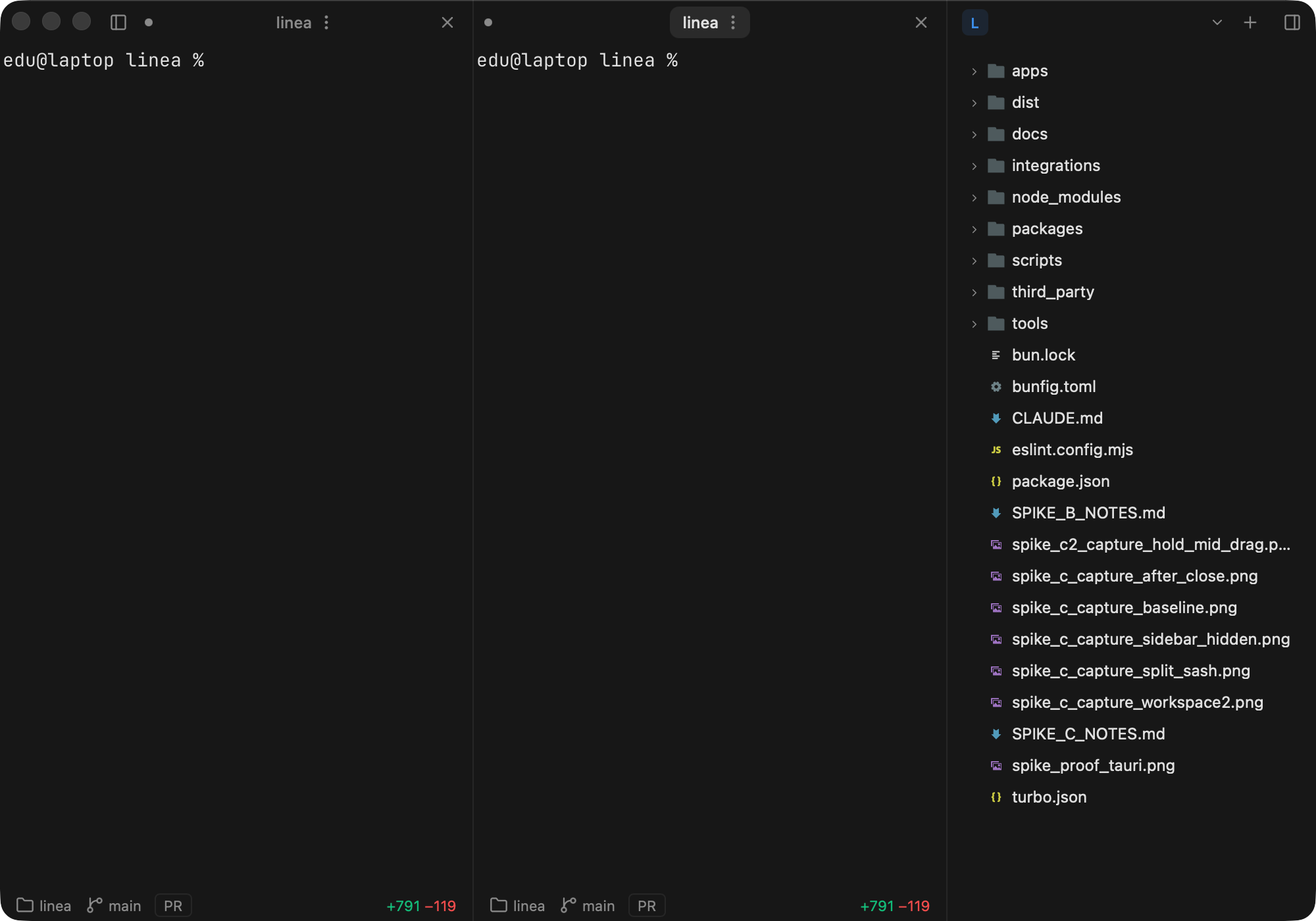
macOS was the straightforward one, and it is the screenshot at the top of this post. Ghostty publishes an embedding API, so the panes are real libghostty surfaces driven over FFI, composited by AppKit into the Tauri window.
Windows gets a sibling child window — a WS_CHILD HWND next
to the webview, painted through WGL. The webview and the terminal are two real windows
the host keeps aligned.
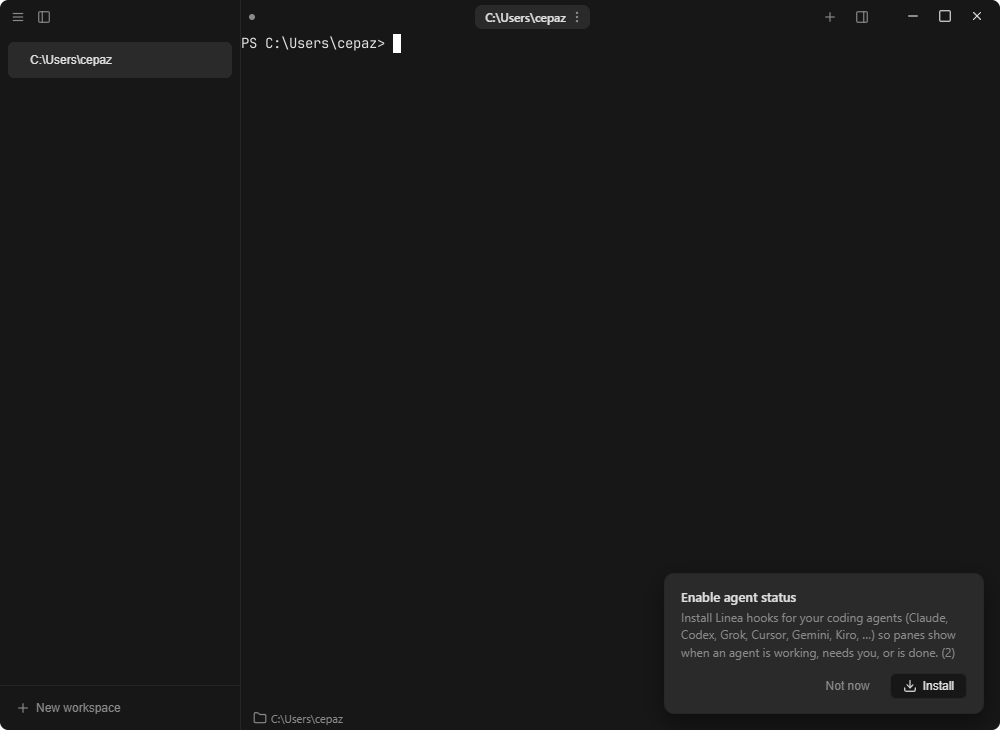
Linux composites a GTK GLArea underneath a transparent
webview, with the panes rasterised on the CPU through cairo. Same window, same
interface, entirely different plumbing.
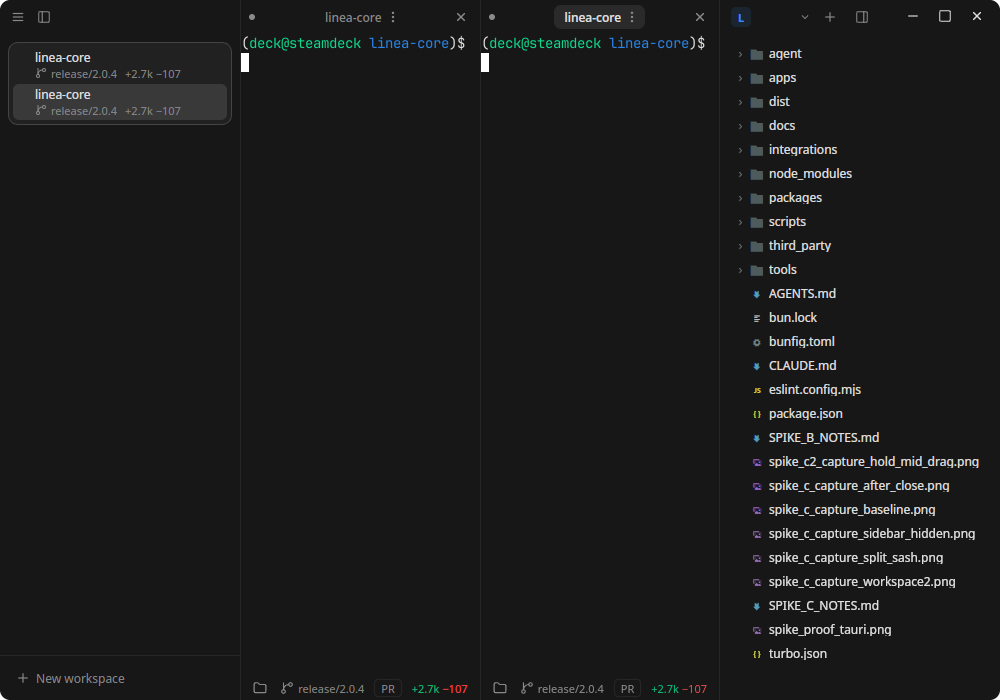
Three surfaces, one module name. The host compiles whichever overlay the target needs under the same name, so nothing above that layer forks per platform. The code that decides where a pane goes has no idea which of the three it is talking to.
One core, two embedding stories
The obvious question: if Ghostty is already embedded on macOS, why not everywhere?
Because its embedding API is macOS and iOS only. The platform union in its header has two members, upstream describes the embedded OpenGL path as broken, and Windows support is not on the roadmap. Waiting was not a plan.
The way out was to split what I actually needed. A terminal emulator is two things: the VT core that turns a byte stream into a grid of cells with colours and attributes, and a renderer that puts that grid on screen. The core is pure logic and perfectly portable. Only the renderer is platform bound.
So Windows and Linux take Ghostty's VT core on its own and pair it with renderers I wrote for each surface. Same parser, same escape-sequence handling, same grid model as macOS — a different last mile. One core, two embedding stories, three windows that behave the same.
The part I did not see coming was the graphics drivers. On NVIDIA's proprietary EGL, WebKit's accelerated paint erases the sibling widgets sitting below the transparent webview, and the window shows a see-through hole exactly where the terminal should be. Same build, same code, correct on every AMD and Intel machine. The fix is to point WebKit's GL at Mesa before GTK initialises. The price is a software-rendered interface on those machines — something a terminal absorbs without complaint, because the panes were never on that path anyway.
The switch that keeps it honest
Native panes are on by default everywhere, but the DOM terminal never got deleted.
LINEA_GHOSTTY=off drops the whole app back to in-webview panes.
That is not indecision, it is insurance. When a driver, a compositor or a distro does something none of the three surfaces expected, the answer should be a slightly worse terminal for that user tonight, not a blank rectangle and a bug report. Keeping the fallback alive also keeps the seam honest: if the UI ever grew a dependency on the native panes, the flag would break immediately and I would know.
Proving it on three machines
An architecture like this has a nasty property: it is only as good as its least-tested platform. Three renderers means the interesting bugs are the ones that appear on exactly one of them — a compositor quirk, a driver, a window manager drawing its own decorations.
So no release goes out on my word. There are three machines here: the MacBook I write on, a Windows tower, and a handheld running Linux. Each one has an agent on it. When I cut a release, each agent builds its own binary, installs it, launches the actual packaged app, and drives it like a user — open a workspace, type in a pane, split it, switch themes, close it and check nothing is left running. Not the source tree. The artefact people download.
Every screenshot in this post came out of that pipeline: real captures of the real binary on each operating system, taken by the agent that built it. If a platform is broken, the picture is broken, and I find out before you do.
One interface. Three terminals. Nothing pretending to be native.
Línea is available for macOS, Windows and Linux — one line to install, 14-day trial, no card.